
Sometimes when HCML release a new version of the CMS your browser might not straight away pick up the new changes. This in turn can produce odd behaviour with the CMS, it has even be known to not save changes correctly.
To combat this please can you do the following:
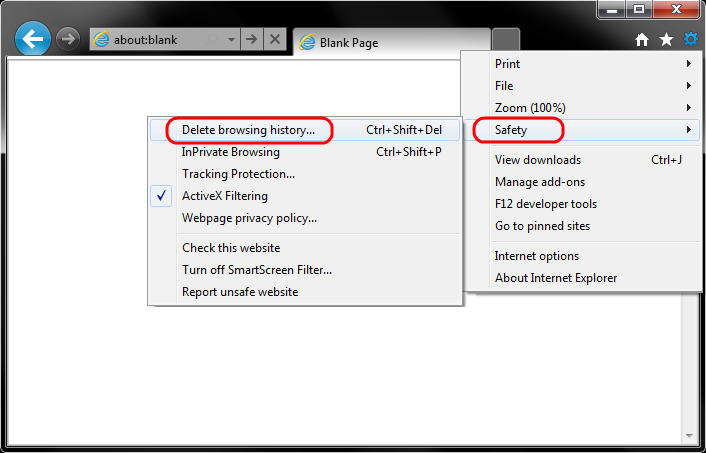
- Select Tools (via the Gear Icon) > Safety > Delete browsing history....
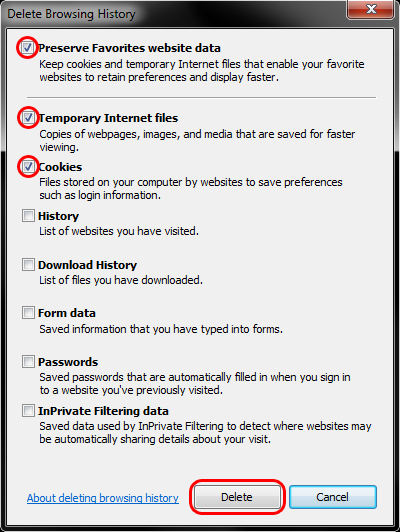
- Make sure that Preserve Favorites website data, Temporary Internet Files and Cookies are checked. Then press Delete.
- You will get a confirmation at the bottom of the window once it has successfully cleared your cache and cookies.

If this does not solve your problem please contact IT and we will advice further.
Comments
0 comments
Please sign in to leave a comment.